nodConsole runs Claude Code, Codex, Cursor, OpenCode and Grok on your Mac, next to local models and any OpenAI-compatible API you already use. Give them tasks in your repositories, or describe a job once and let it run, asking you where it matters.
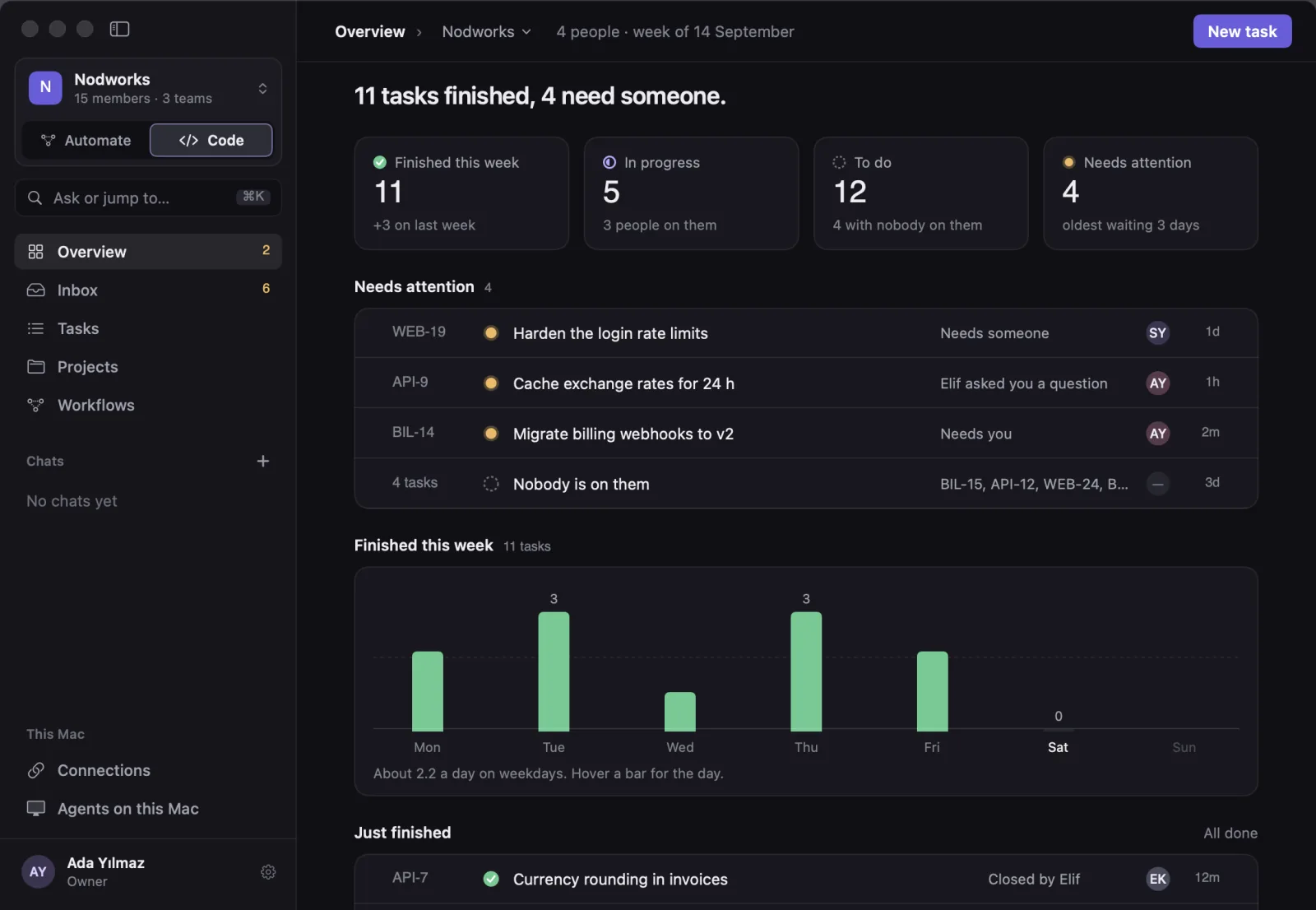
Real screens of the app, drawn with sample data.
Runs the coding agents already on your Mac
- Claude Code
- Codex CLI
- Cursor Agent
- OpenCode
- Grok Build
…and models on your own Mac, or any OpenAI-compatible API you already pay for
- Ollama LOCAL
- LM Studio LOCAL
- OpenAI
- DeepSeek
- Mistral
- OpenRouter
- Groq
- xAI
- Together
How will you use nodConsole?
Sign-up asks one question, and it only picks where the app opens. Both sides are always one click away.
I write code
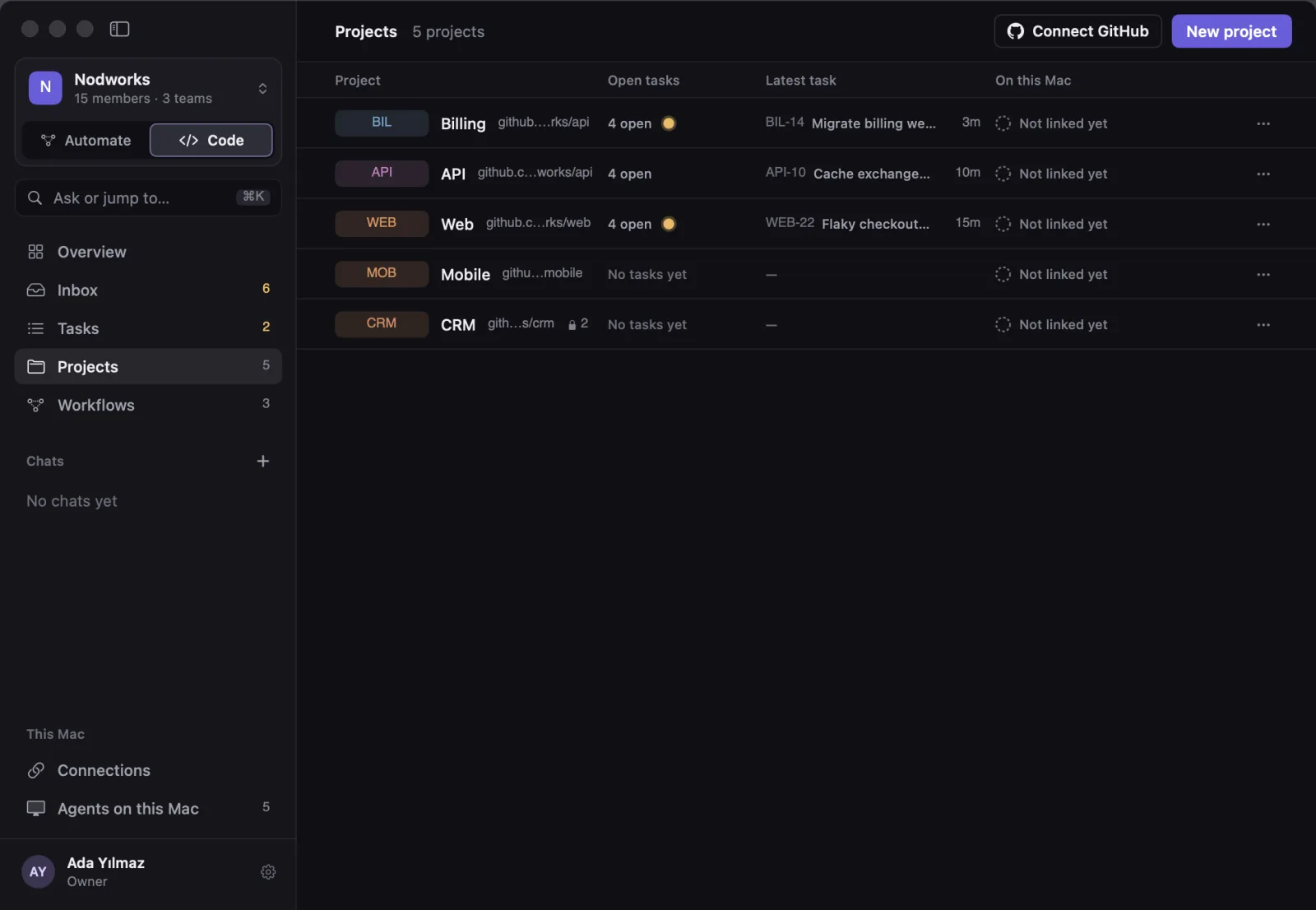
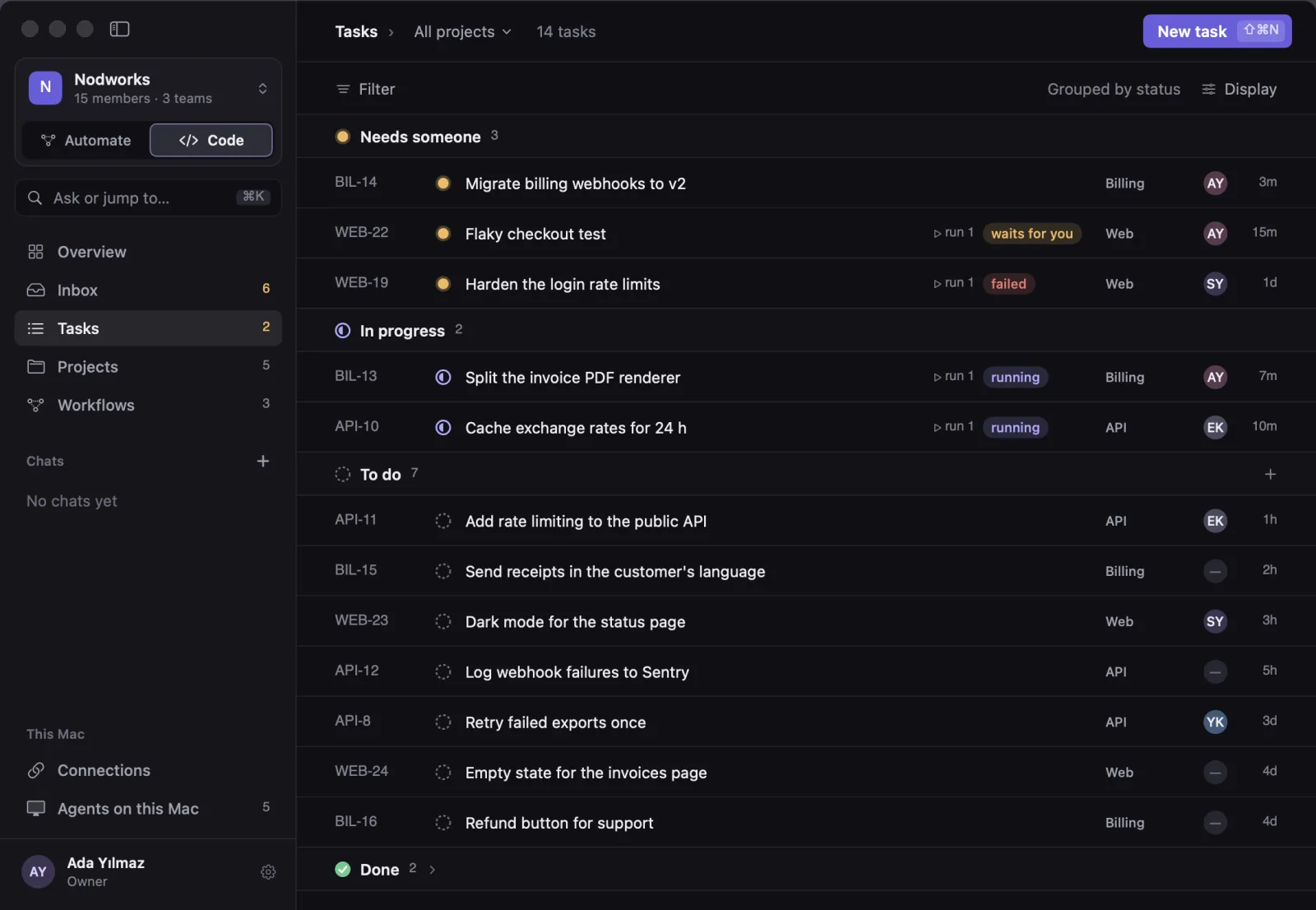
Agents take tasks in your repositories, work on their own branch, and you ship the result.
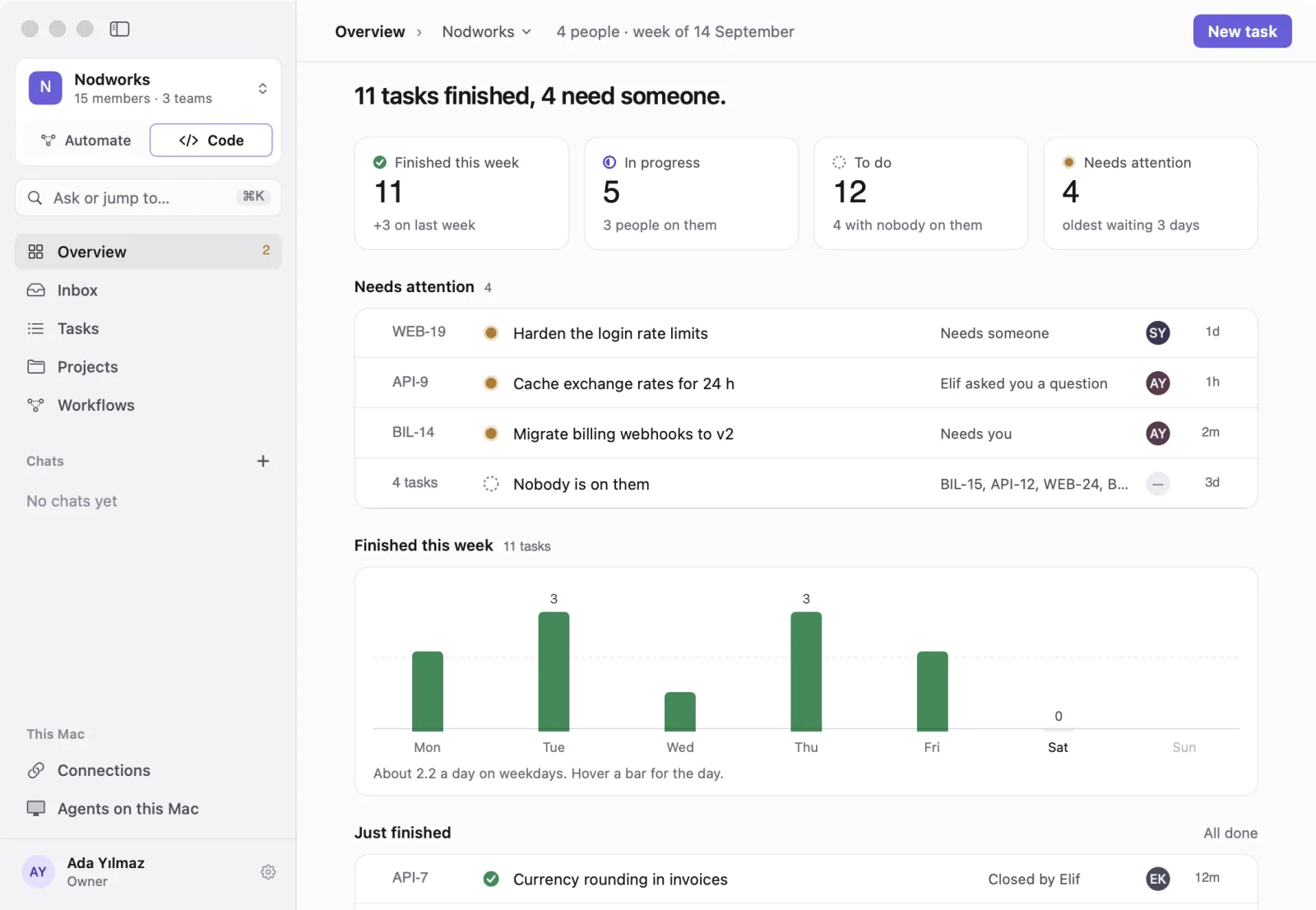
- Overview
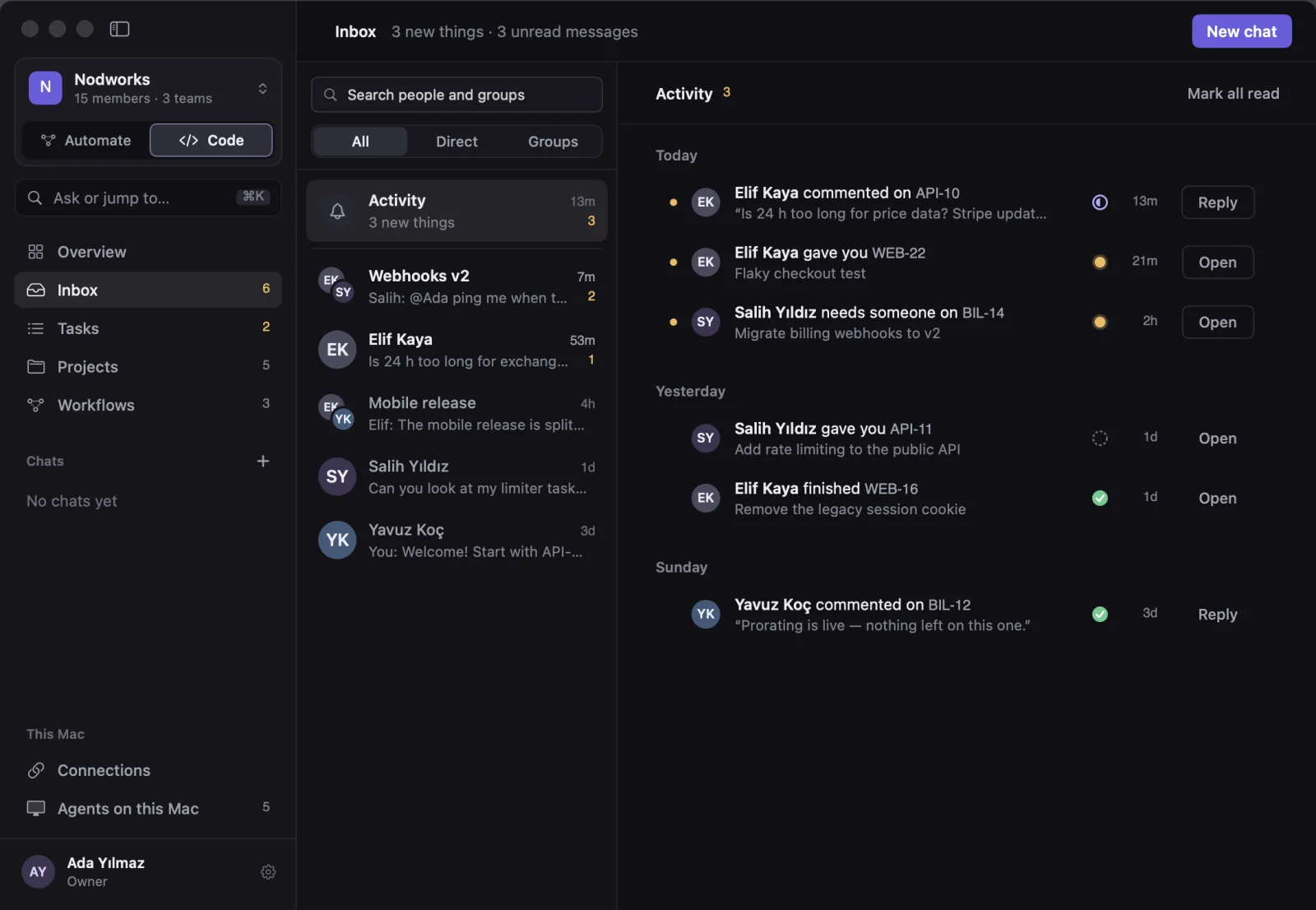
- Inbox
- Tasks
- Projects
- Workflows
- Chats
I want to automate my work
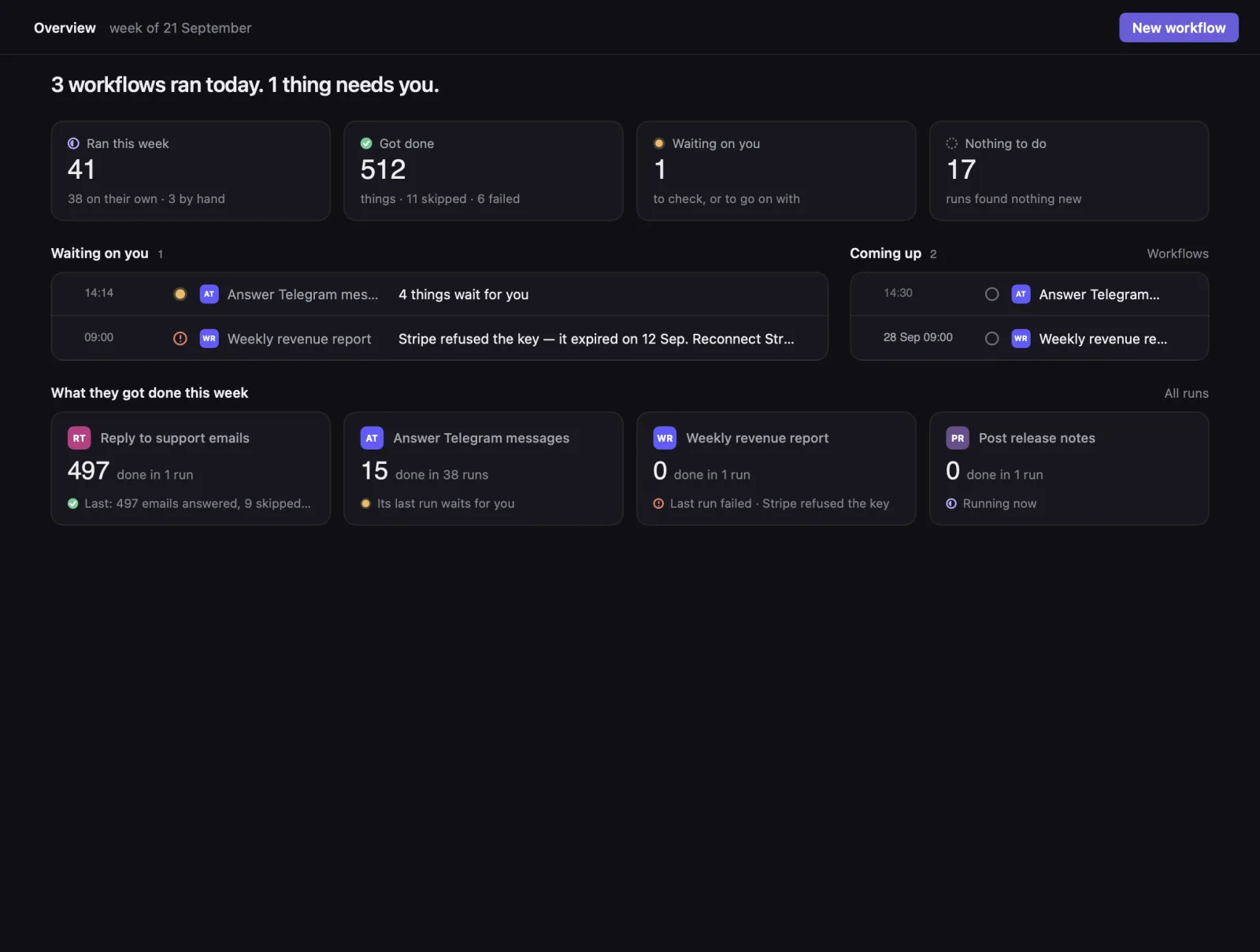
Describe a job once (answer messages, send reports) and it runs on its own, asking you where it matters.
- Overview
- Runs
- Workflows
- Chats
- Connections
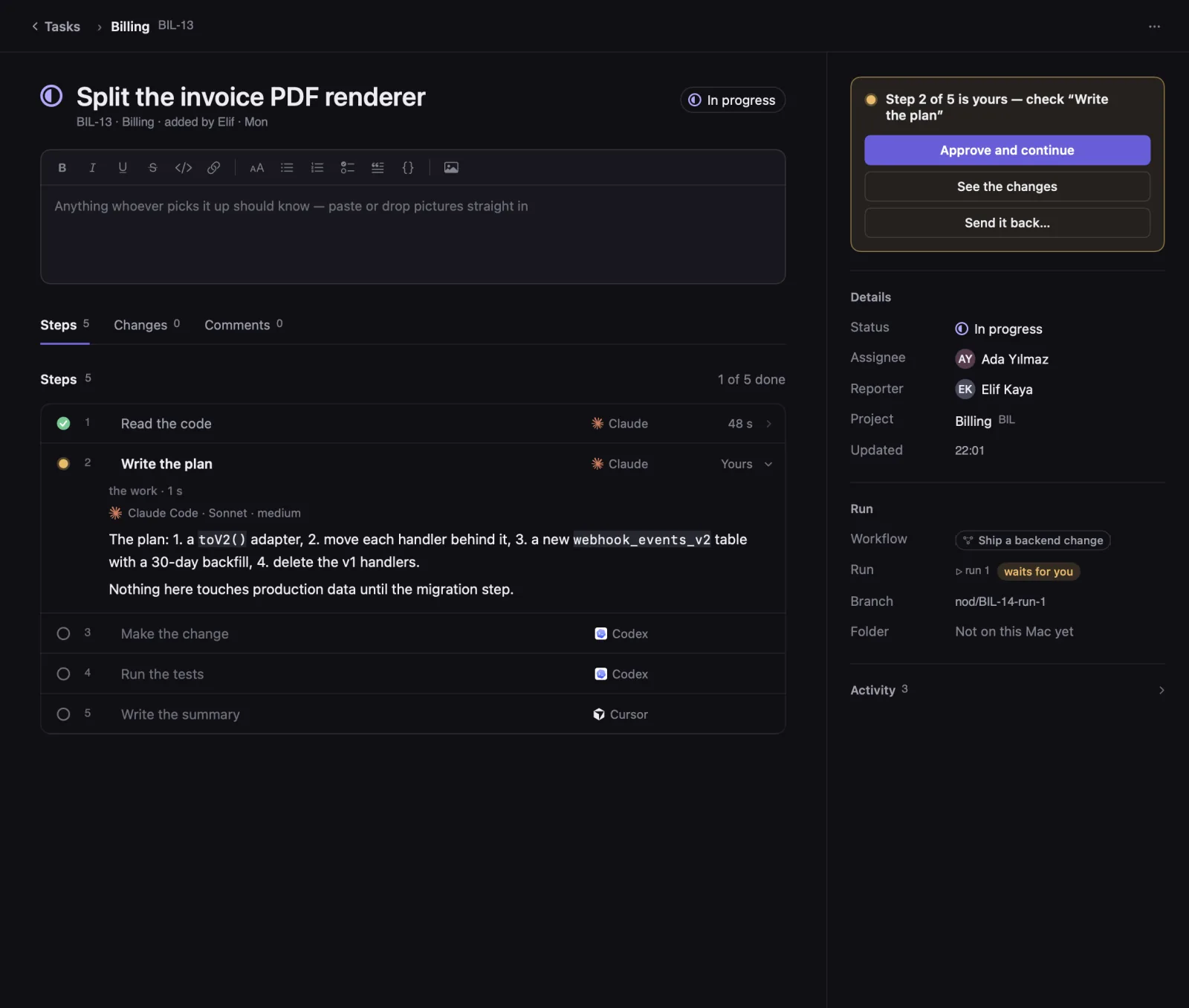
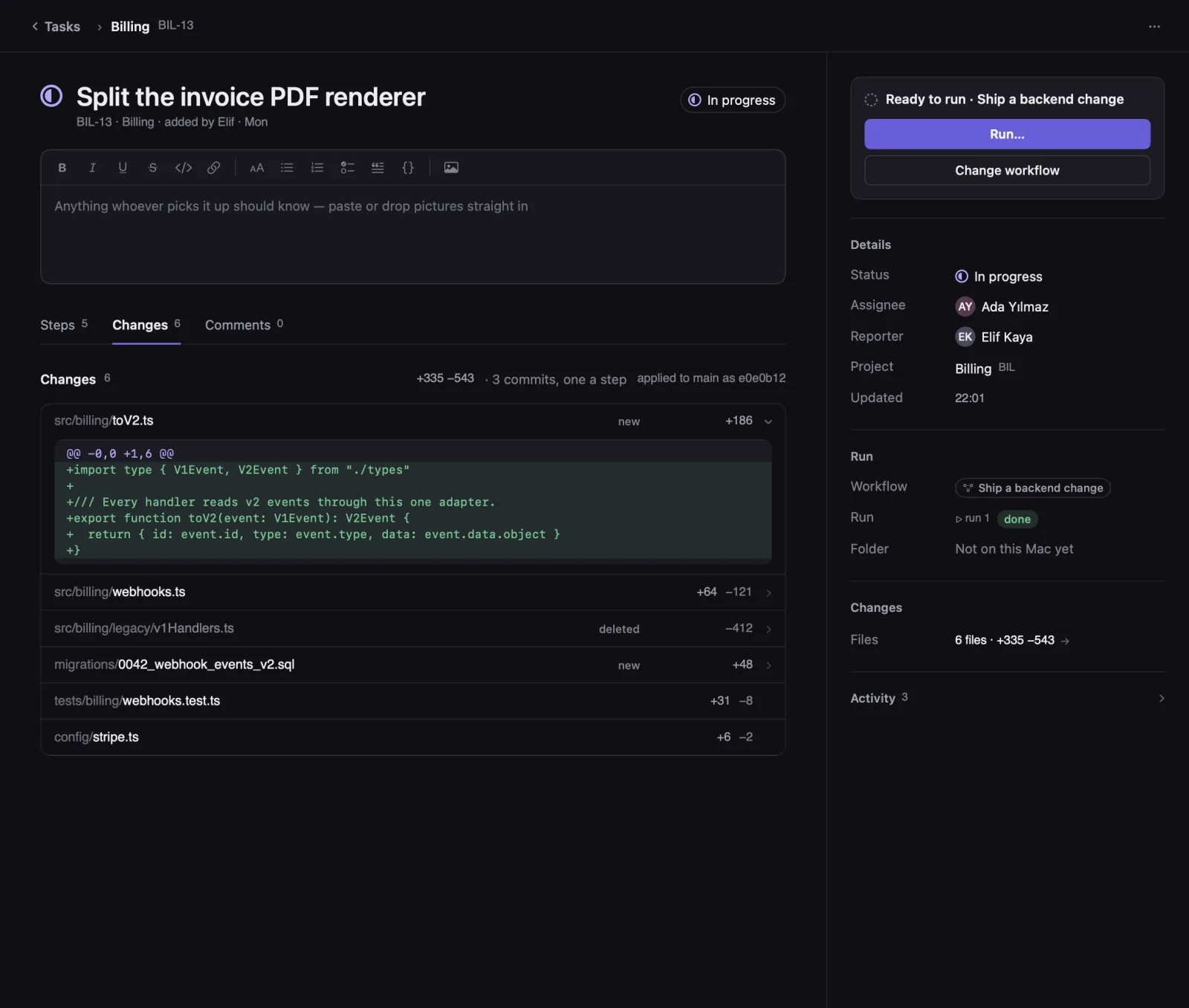
From a task to a merged branch, with you at every turn that matters.
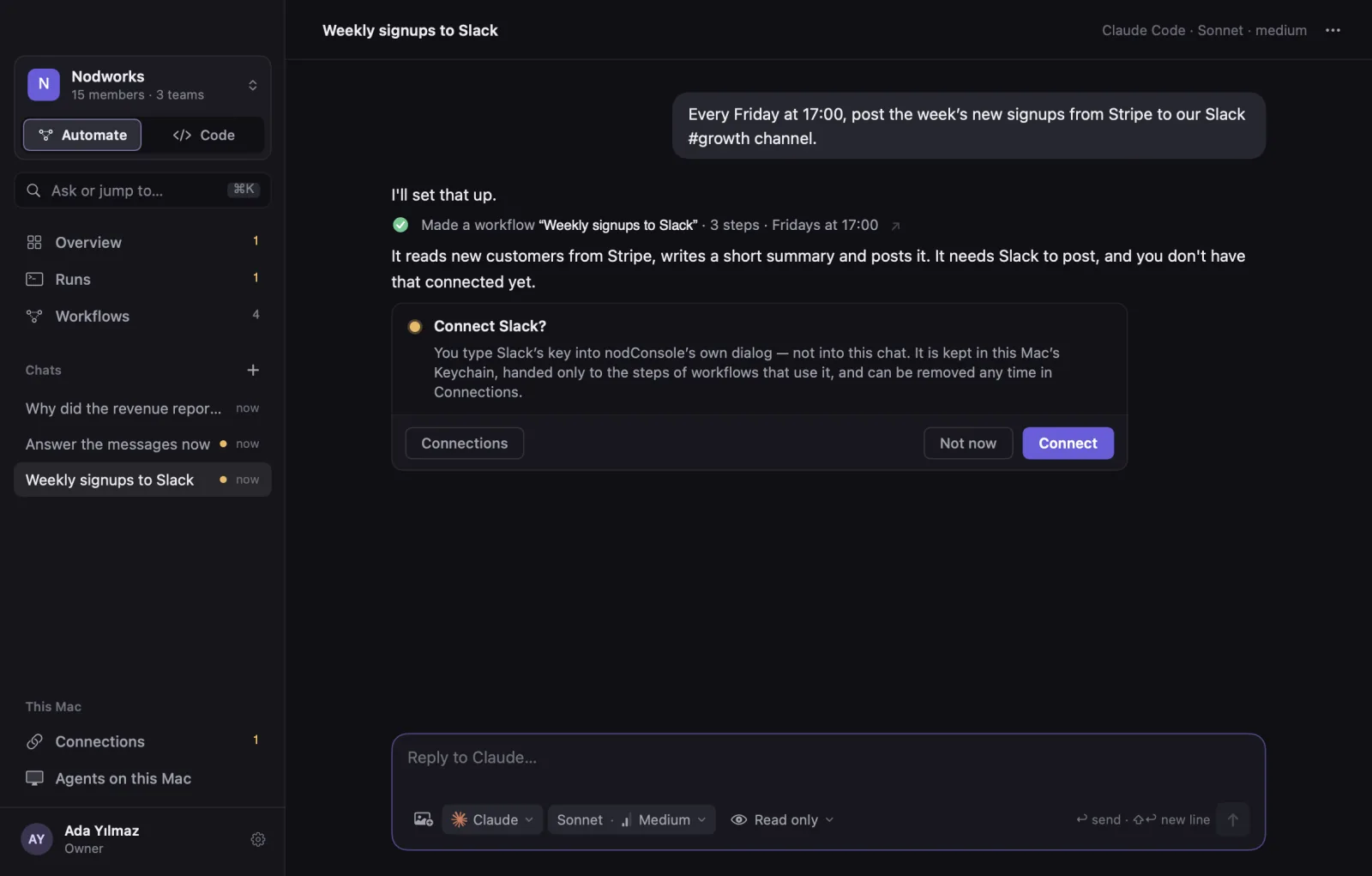
Describe a job once. It runs on its own and stops where you want to look.
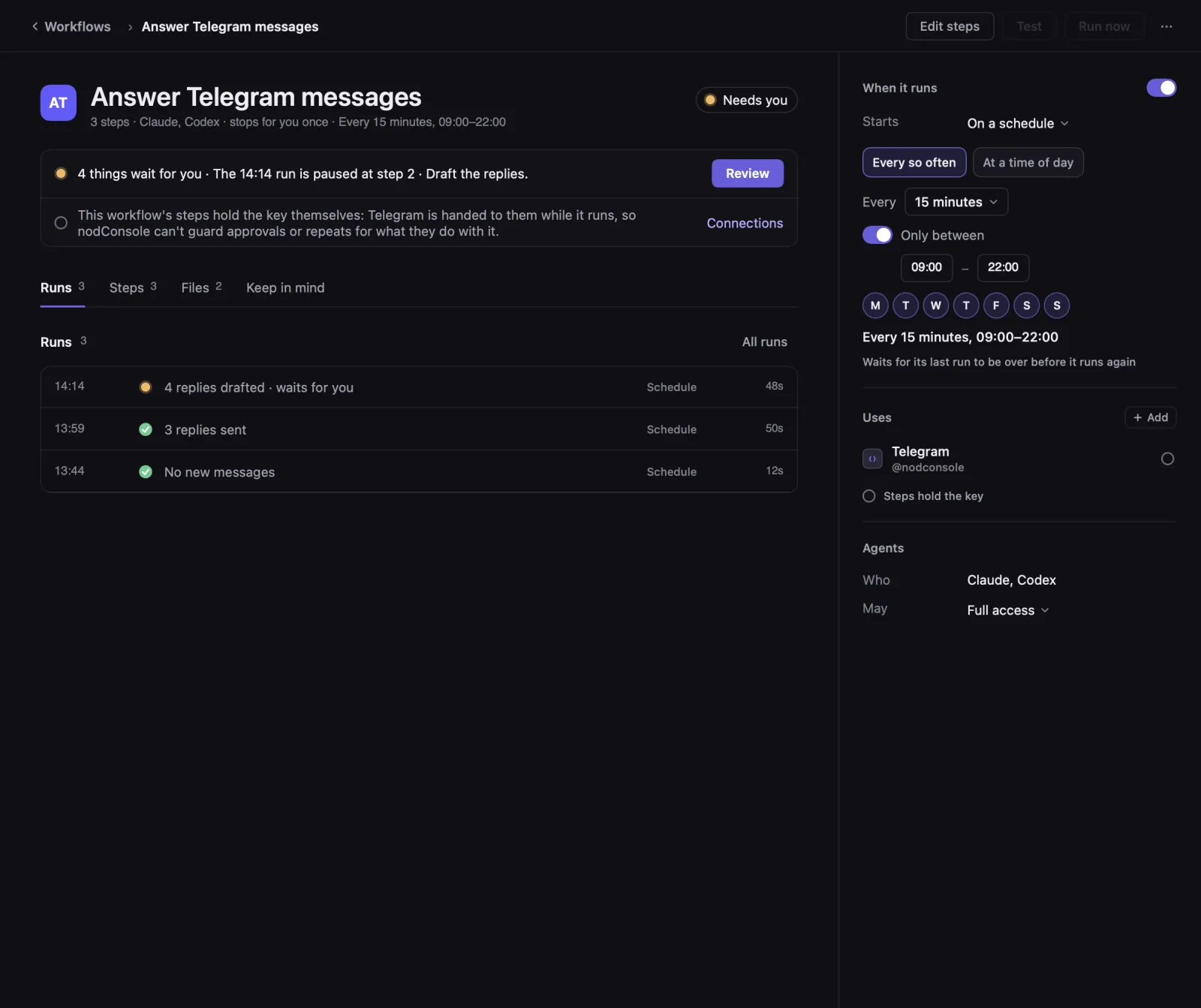
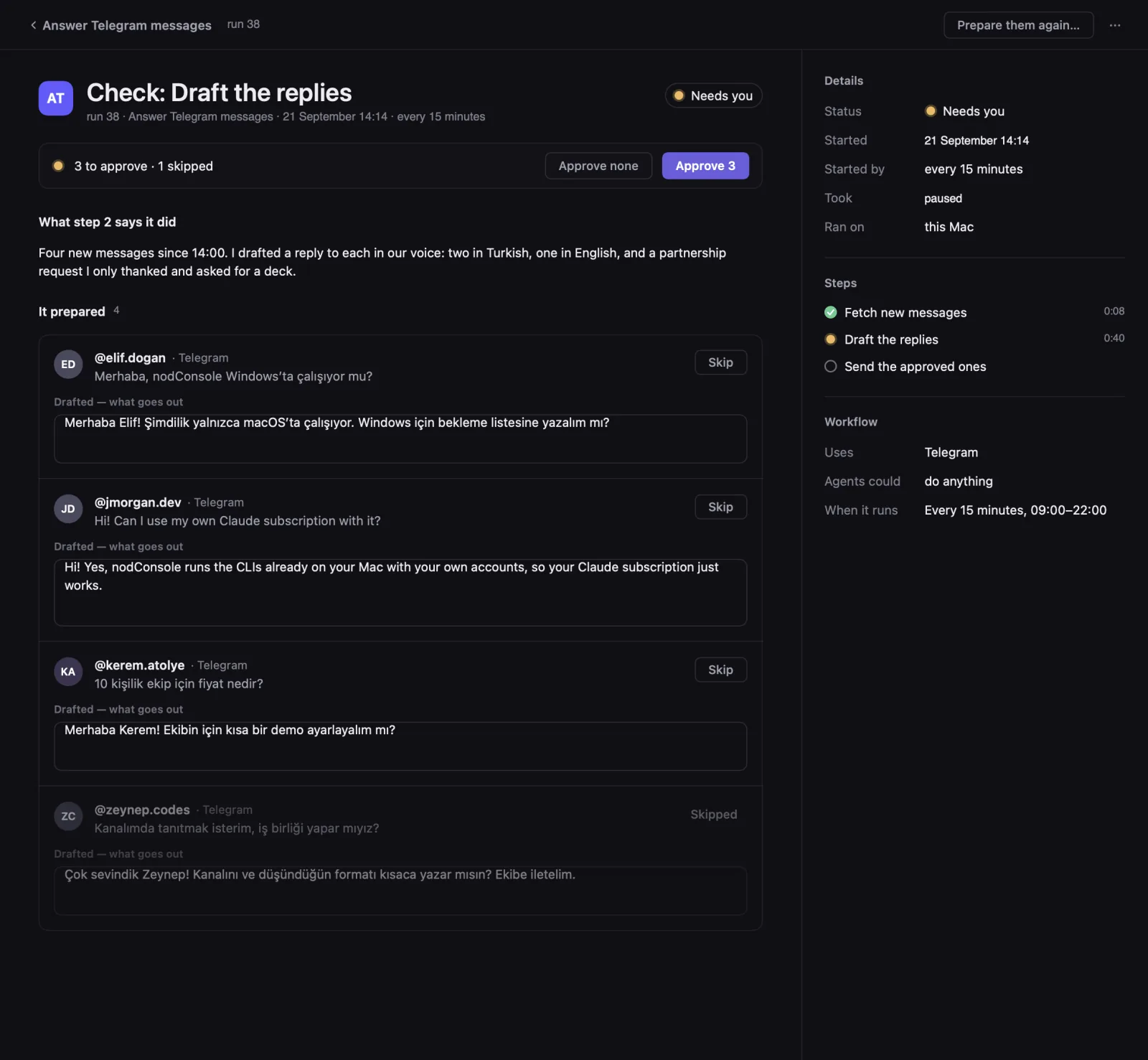
Workflows Run, You Review
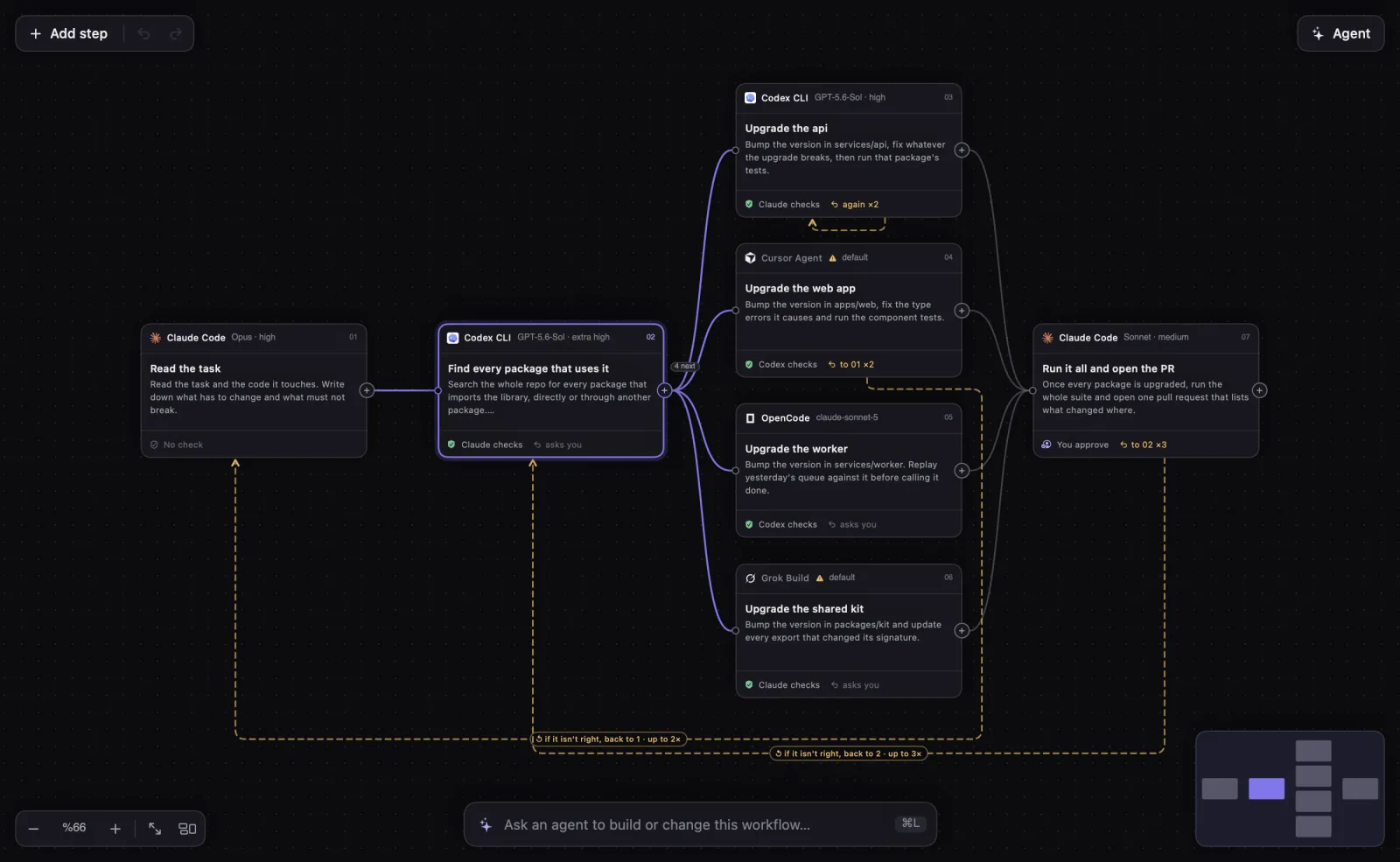
A workflow is a set of steps, each done by an agent on your Mac. Draw it on the canvas, or ask an agent to draw it for you. One canvas for both sides: a workflow lives on one, and can be moved to the other.
- Any agent, any modelEach step picks its CLI, its model and how hard it thinks.
- A second agent checksAnother agent reads the work before the run goes on.
- Side by sideOne step hands on to several that run at the same time.
- If it isn't right, backA step goes back to an earlier one, up to the times you set.
- You approveMark a step as yours and the run waits for you there.
- Ask an agentSay what should change and an agent builds or changes the workflow.
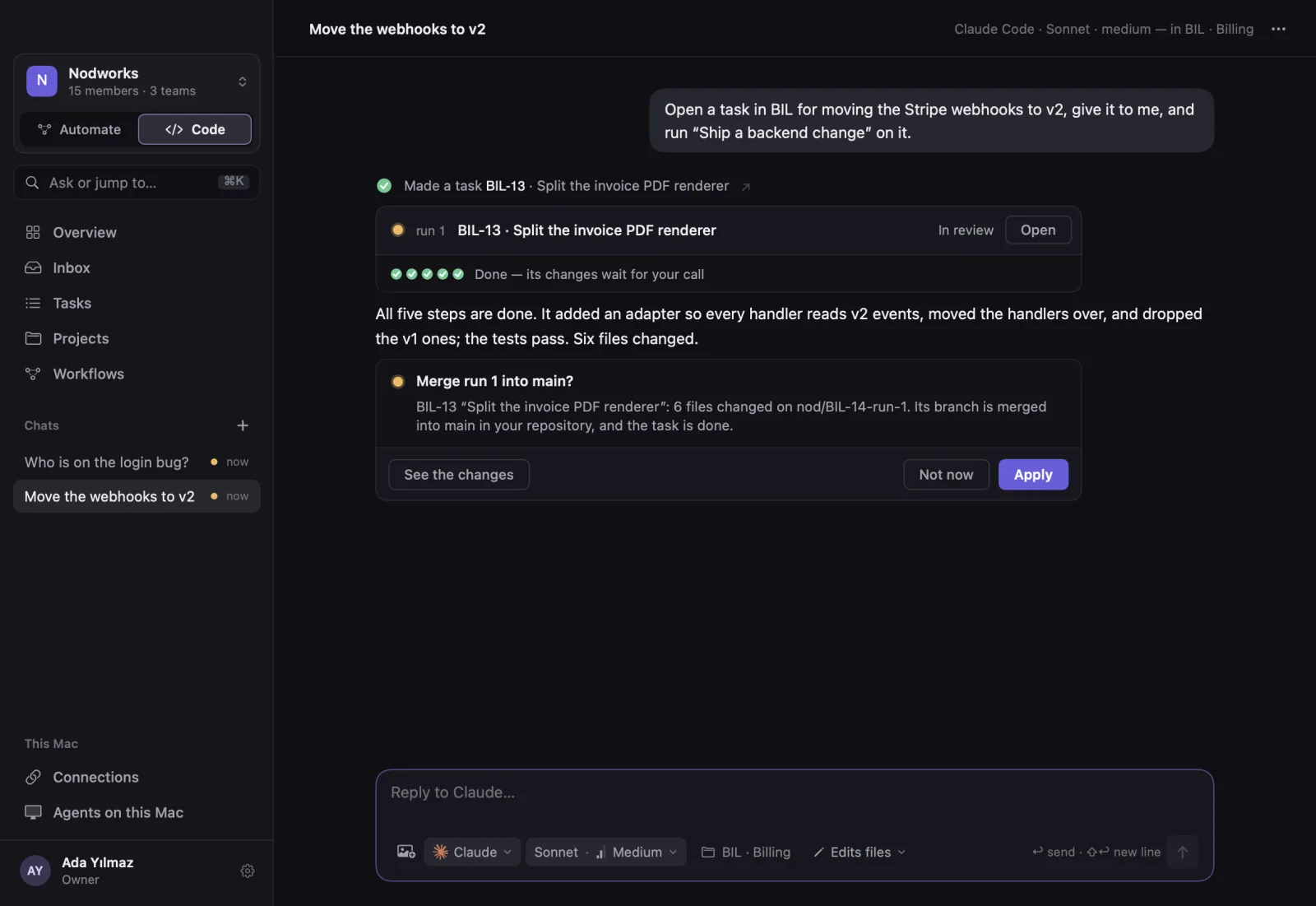
A chat that uses the app for you.
Ask in your own words. The agent makes the task, runs the workflow, reads what it did and tells you, inside nodConsole itself.
Anything that goes out, can't be undone or speaks in your name waits on a card like this until you say yes.
Local CLIs, Live Output
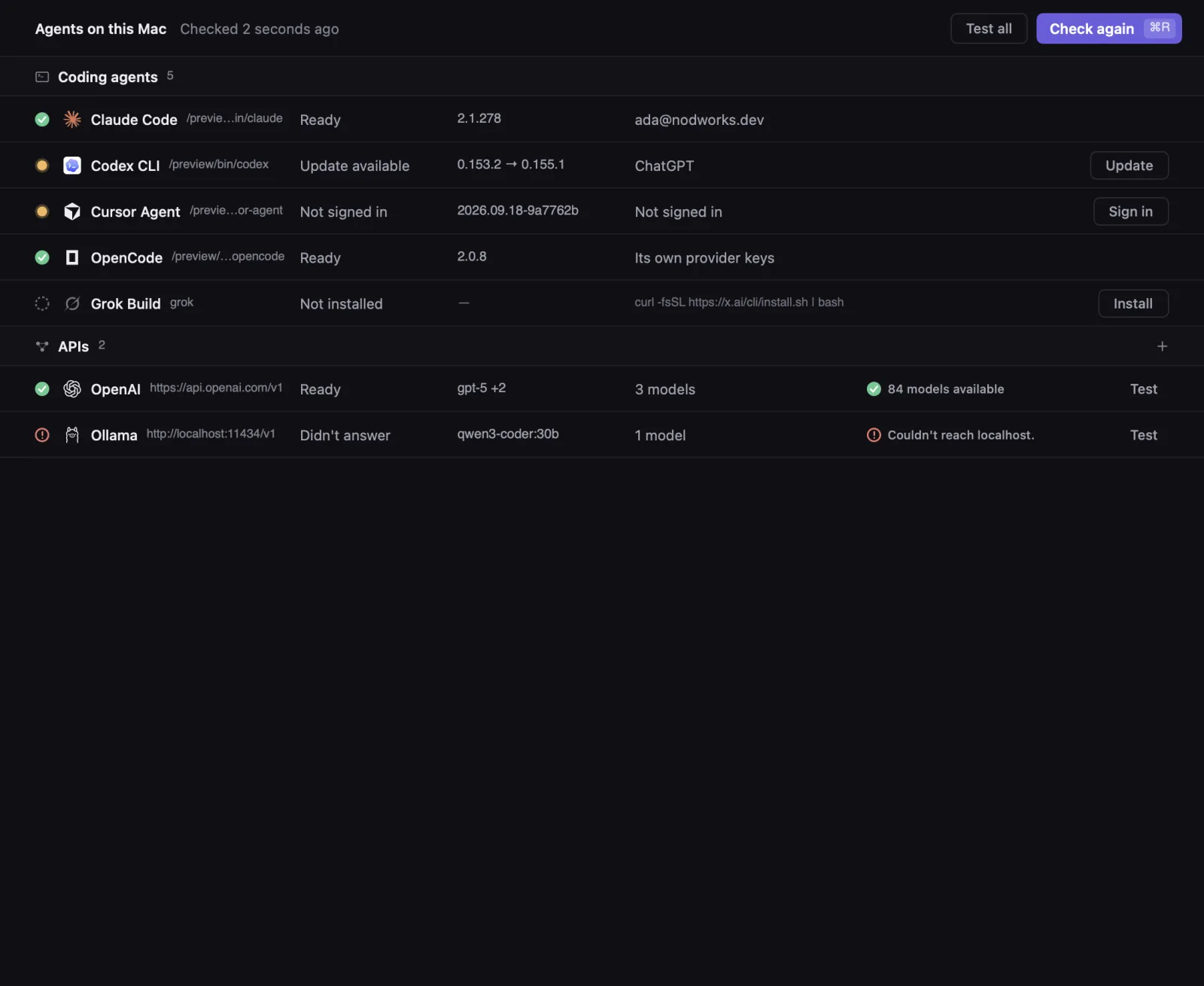
nodConsole doesn't bring its own model. It runs the CLIs you already use, signed in with your own accounts, and shows what they do as they do it.
- Finds each CLI on this Mac and reads its version.
- Installs and updates it with the vendor's own command.
- Checks the sign-in of every CLI that has one, and opens it when it's missing.
- Adds any OpenAI-compatible API, local ones like Ollama included. Its key stays in this Mac's Keychain.
Your own models, on your own Mac.
Next to the coding CLIs, nodConsole takes any model that speaks the OpenAI API: one running on this Mac, or one you already have a key for. A workflow step, the check on another agent's work, or a chat can use it.
Ollama
The models you pulled with Ollama, picked from its local server.
LM Studio
The models you loaded in LM Studio, picked from its local server.
- OpenAI
- DeepSeek
- Mistral
- OpenRouter
- Groq
- xAI
- Together
- Or any other address that speaks the OpenAI API, like z.ai's GLM models: add it as Custom, with its URL and key.
- Keys stay in this Mac's Keychain, never on nodConsole's server.
- Asks the API for its models: pick the ones to use, and test that it answers.
- Mix them in one workflow: a local model writes the plan, Claude Code makes the change, DeepSeek checks it.
A model reached this way writes words: plans, reviews, drafts, answers. Editing files, running commands and acting on connected services stays with the coding CLIs.
The tools your work lives in, one sign-in away.
Each service has its own page in the app: what an agent can do with it, what it needs, and how to connect it. Each side offers the ones that serve its work.
services in the catalog, from Slack and Stripe to Shopify and Trendyol
sign in through the service's own MCP server, in your browser
The rest take a key. It stays in this Mac's Keychain, not on the server, and not in a transcript.
Code
Issues, beside the code that closes them
Linear, Jira, GitLab: an agent reads the issue it works on and writes back when it is done, after your yes.
Errors and traces, where they are fixed
Sentry, Datadog, Grafana: an agent reads the error it was asked to fix, with its stack trace, logs and traces.
Deploys and databases, looked after
Vercel, Railway, Supabase: a deploy's logs or a database's tables, read without leaving the task.
Automate
Mail and forms, answered for you
nodConsole watches a mailbox and takes calls from any app, a form among them. A step drafts the answer; it goes out after your yes.
Messages, one place to answer from
A Slack channel, a Telegram bot, a Discord server.
Orders and payments, looked after
Shopify and Trendyol orders, Stripe payments: a step reads what changed and prepares what comes next.
Everything belongs to a team, even if it's just you.
- Inbox: direct and group chats, and the activity on your tasks.
- Overview: the week in one page, finished, under way and waiting on someone.
- Projects: a repository and its key, linked to a folder on each Mac or cloned with the team's GitHub account.
- Notifications: macOS tells you when something needs you while nodConsole is behind another app.
Agents do the work. You choose what waits for your yes.
Its own branch
A run works in its own worktree. Your checkout stays as it is until you merge.
Asks first
In a chat, sending, deleting, merging or anything in your name shows a card first and waits for your yes, unless you told it to always allow.
Keys in the Keychain
Handed only to the steps of workflows that use them, and removable any time.
Your agents, your accounts
The CLIs run on your Mac with your own subscriptions. nodConsole adds none of its own.
Native to the Mac, dark or light.
A native macOS app. Drag across the screen to see both themes.
Every Coding Agent, One Console
Bring the agents you already pay for into one app, and let them work while you decide what matters.
It starts on the Mac. Windows, the web and phones come later.
- macOSFirst
- WindowsComing soon
- WebComing soon
- MobileComing soon